Focus for YouTube / Block YouTube Shorts
Block YouTube Shorts. Keep the real videos.
You open YouTube for one video. Forty minutes later you are still swiping. Focus takes Shorts out of the page, so there is nothing to swipe.
Free Chrome extension. No account, no analytics, everything stays in your browser.
There is no off switch for Shorts.
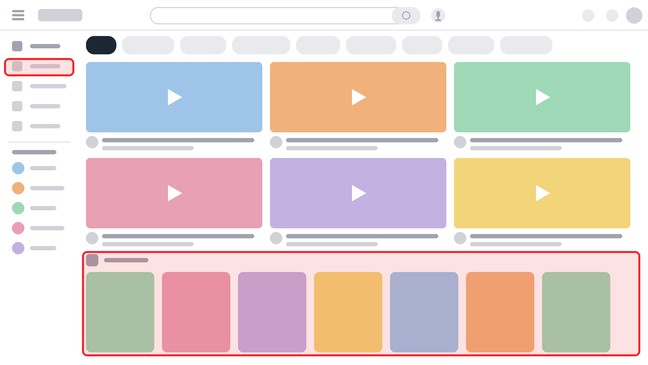
On the desktop site YouTube gives you no setting that turns Shorts off. You can press “Not interested” on a shelf and it comes back. Shorts sit in the home feed, in search results, on every channel page and in the left menu.
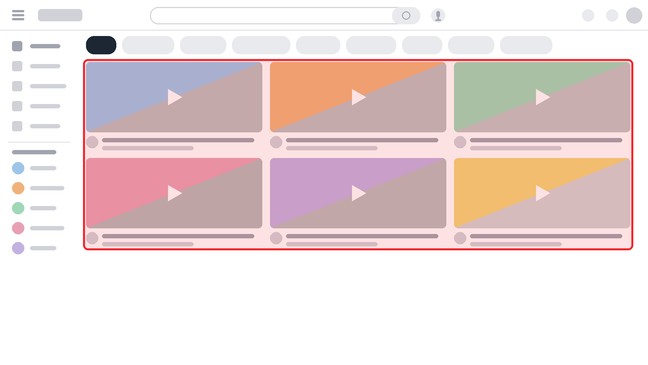
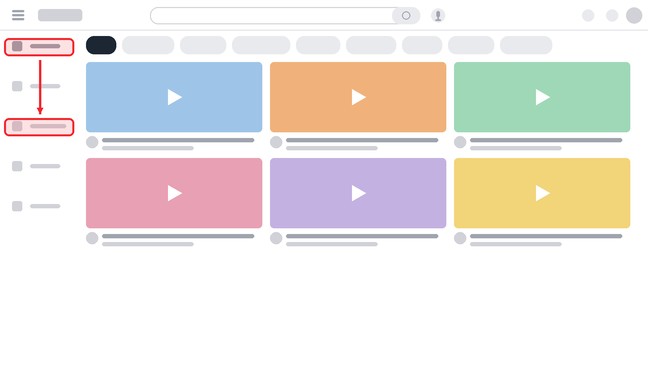
Focus removes all of those places at once. The shelves and cards, the Shorts tab on channel pages and the entry in the menu are gone, so the page reads like YouTube did before Shorts.
What disappears, and what stays
- Shorts shelves and cards are removed from the home feed, search results and channel pages
- The Shorts entry in the menu is removed
- A Shorts link opens in the regular player, so a link a friend sends still plays
- With a channel allowlist on, Shorts from channels you did not pick are hidden too
- Pause for 15 minutes or an hour when you want them back; everything switches on again by itself
Set up in under a minute.
- Add Focus to Chrome from the Web Store.
- Open the extension and check that “Hide Shorts” is on in Feed and Shorts.
- Reload YouTube. The Shorts shelf and the menu entry are gone.
Questions.
Does it work on the YouTube phone app?
No. Focus is a Chrome extension, so it works on youtube.com in desktop Chrome. It does not change the YouTube mobile app.
Will a Shorts link that someone sends me still open?
Yes. It opens in the regular video player instead of the vertical Shorts player.
Does it send my viewing data anywhere?
No. Settings stay in your browser. There is no account and no analytics.
What if YouTube changes its layout and Shorts come back?
YouTube changes its pages often. If Shorts show up again after an update, write to kirgoldman1@gmail.com and it gets fixed.
More ways to clean up YouTube.
Add it to Chrome. It is free.
YouTube changes its layout often. If something stops working after an update, write to kirgoldman1@gmail.com.